

Release Note Version 25.1.0
31. January 2025
BIM²form 25.1 is here!
Our latest update is available, bringing powerful new features and improvements inspired by your feedback through our Open Innovation platform. Here’s a snapshot of what’s new:
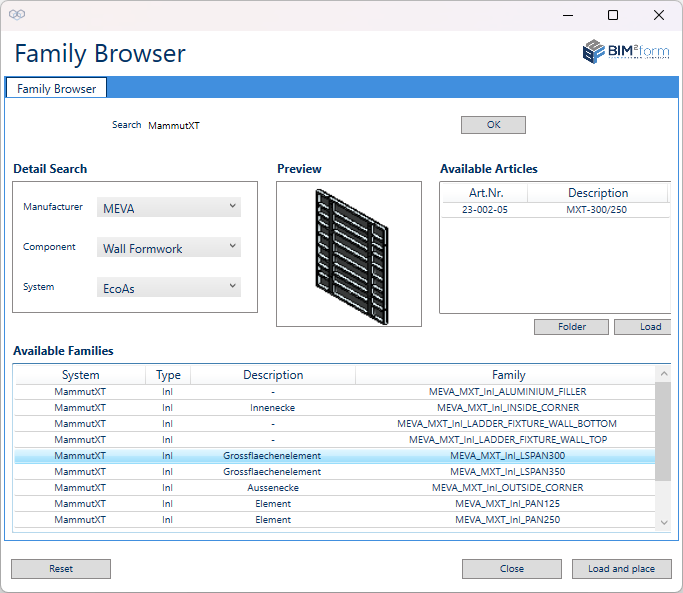
Family Browser
Find content in the browser and load it directly into your project.
The search function in the Family Browser (BIM²form Manage tab) has been fully revised. Find families and articles quickly by entering article numbers or text, the results are displayed regardless of filter settings. Use the Detail Search to narrow results by category. Reset clears the search, and with “Load & place” you can directly insert selected families into your project. This allows you to find the right articles and families for the selected system quickly and easily.

Highlight: Custom Excel Export
Our top feature in the previous release 24.4 was the Custom Excel Export. This feature offers you a wide range of options for evaluating the material in your project even more efficiently and processing the data further.
New to the Custom Export? No problem! In this tutorial, Willi explains how to make the best possible use of the function. Check out part 2 as well!

BIM² at BAUMA 2025
We are excited to participate in the world's largest trade fair for the construction industry in Munich again this year! Here we will present exclusive new developments for the upcoming release 25.2.
Contact us to schedule an individual appointment with your contact person or visit us from April 7-11 at the booth of our partner PERI SE.
📍 Booth FN.718 | Outdoor Area North
See you there - we look forward to your visit!
Find more information about the fair HERE.
Features
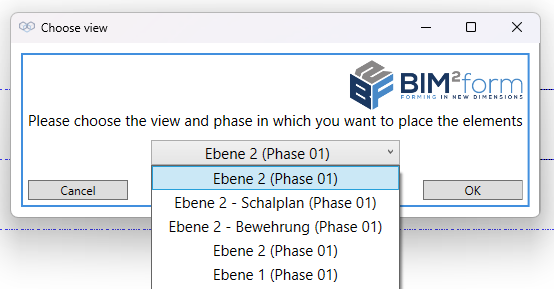
Improved Filter for View and Phase selection
When working on big projects, it can happen that you can't see the forest for the trees. This is where our new filter for selecting views and phases comes in handy.
With a large number of views in the project, you will now receive an additional selection for the choice of level when placing slab systems or shoring towers, from which you can simply select the desired view for placement.
Narrowing down the list to useful options improves the visual display to prevent long searches.
Updates for MEVA

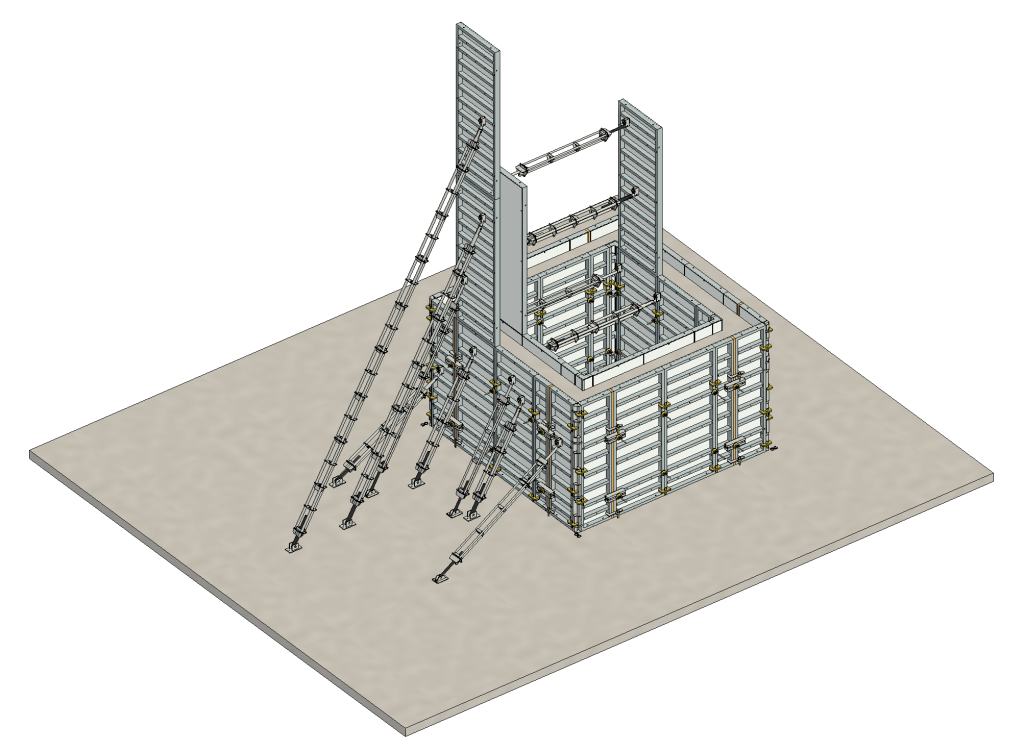
Triplex SB
The 'Points' group in BIM²form Wall contains the new 'Triplex-SB' function for inclined support and bracing. Associated families have been added to the content and the functionality is similar to the Triplex-R.
New Compensation options for Imperial & MevaLite
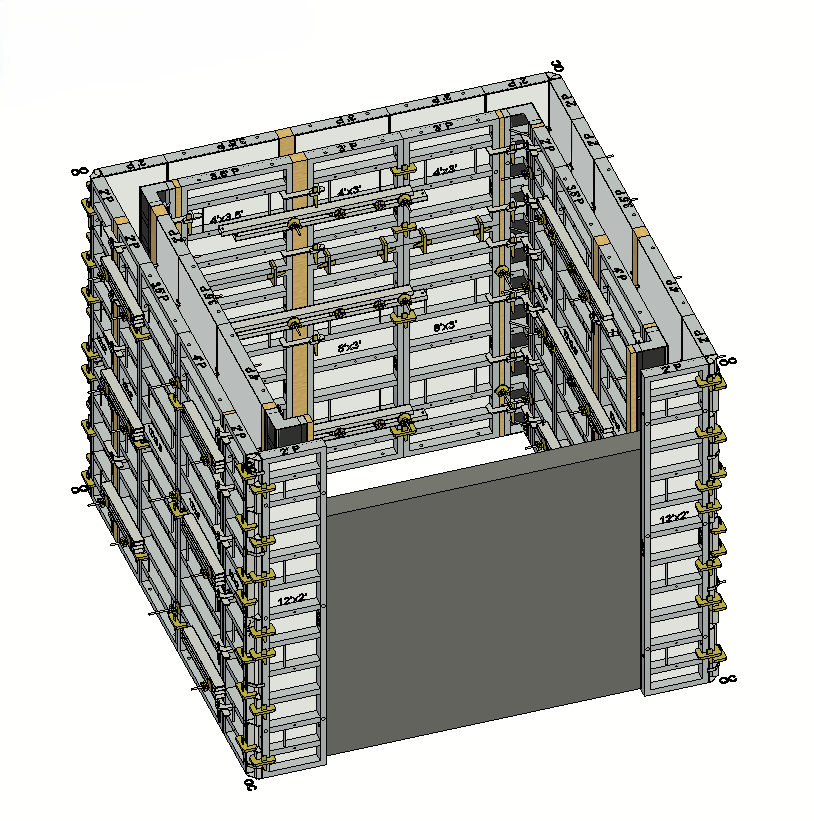
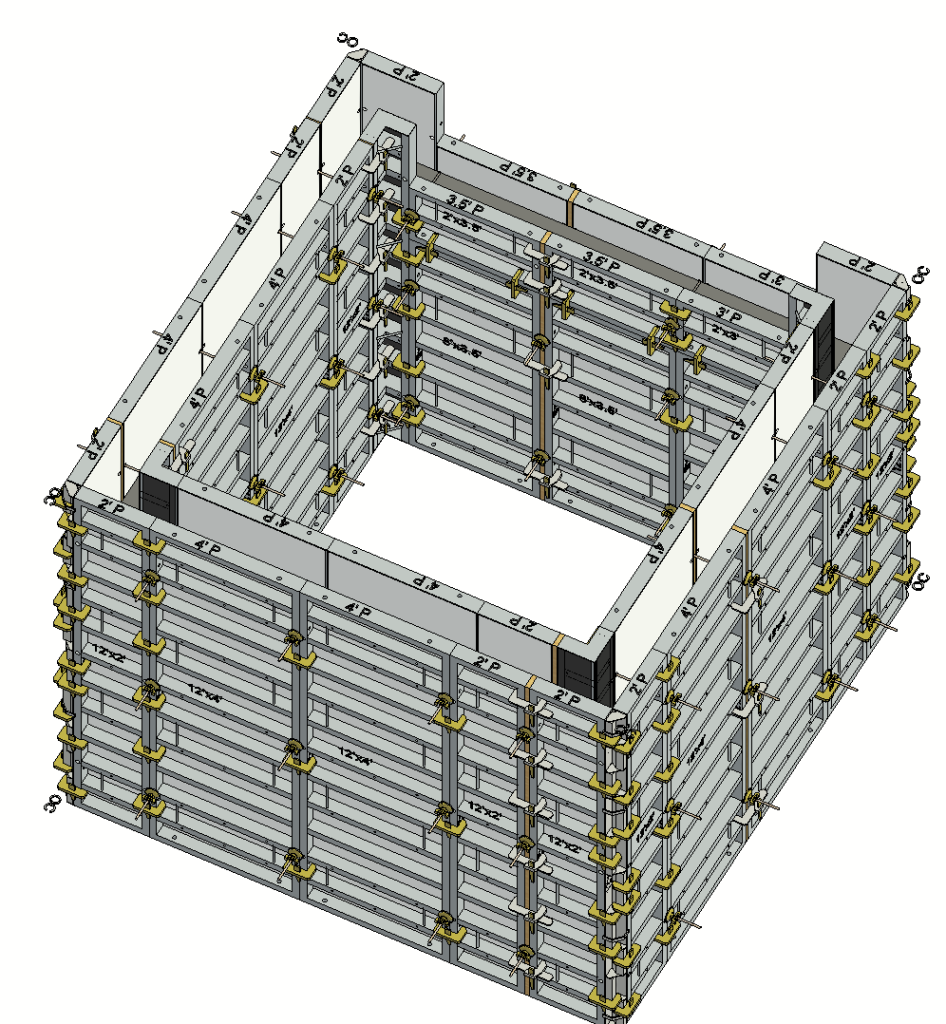
BIM²form has always placed compensations near to part-wall type at the end of the wall near the second click. But we know that this often looks different in practice. To allow you to model more options, you can now choose between two additional options for the placement of compensations with US-specific systems:
- Compensation Mid Wall
- Compensation on Both Sides
By selecting these options in the settings, you can flexibly determine where the compensation is placed using the 'Forming' command. Moreover, you can define the maximum compensation width. If the required filler is wider than the set maximum, the filler is automatically split over more than one point to eliminate the need for alignment rails. The placement also takes aluminum fillers into account if they are activated.
As a result, you have even more options for influencing the design and brings us one step closer to our goal of developing a tool by technicians for technicians.
MevaDec FTE Method: Extend Standard Area in Primary Beam direction
Previously, it was not possible to extend the Standard Area in the same direction as the Primary Beams. Using the right click sequence, this is now possible.
Further revised FTE functionality:
- Improved functionality in the Compensation Area If primary beams and elements align after filling the Standard Areas, the Compensation Area is now used correctly and to the maximum.
- Filling gaps > 20 cm If there is a gap of more than 20 cm between elements, compensation beams are placed directly on the elements. Additionally secondary beams are placed between the elements which led to collisions. This was resolved by adding a small offset.
Enhancements & Bugfixes
- MevaLite multi-purpose element 2.5'MPP for external corners For wall thicknesses between 12'' and 18'', the 2.5'MPP element is used for external corner solutions when the 'Multi-purpose elements' option is activated in the settings.
- Query for timber filler instead of aluminum filler If aluminum fillers are activated but cannot be used, a query is made for the alternative use of timber fillers. This now only occurs once within the infinite loop.
- Uni assembly lock for aluminum fillers If the use of aluminum fillers is activated in the settings, they are now placed correctly in combination with Uni assembly locks.
Updates for PERI

No manufacturer-specific updates for PERI are included in this release.
Updates for Uni-span

No manufacturer-specific updates for Uni-span are included in this release.
Updates for Ringer

No manufacturer-specific updates for Ringer are included in this release.
Thank you to our community for your continued input—your feedback drives our innovation! Let us know how BIM²form 25.1 helps optimize your workflows.